
Table of contents
Introduction.
What retail computer vision means.
Why Africa is ready for smart retail.
Top retail use cases.
Comparison table: manual retail ops vs computer vision.
How retailers choose the right solution.
Implementation framework.
Best practices.
Common mistakes.
Why Phobolytics Technologies.
FAQs.
Conclusion.
Introduction
Retail computer vision Africa is becoming one of the most practical AI use cases for retailers that want better stock visibility, reduced shrinkage, and faster store operations. In a market where margins can be tight and customer expectations are rising, retailers need tools that improve decision-making without adding more manual work.
Phobolytics Technologies fits this use case well because its public positioning already includes AI, computer vision, automation, and business systems. That makes it a natural partner for retailers who want more than software; they want a solution that actually improves store performance.
Across Africa, retail is moving toward smarter, more data-driven operations. Industry reports and retail AI pages show that retailers are increasingly using AI for inventory management, loss prevention, customer analytics, and omnichannel experience improvement.
What retail computer vision means
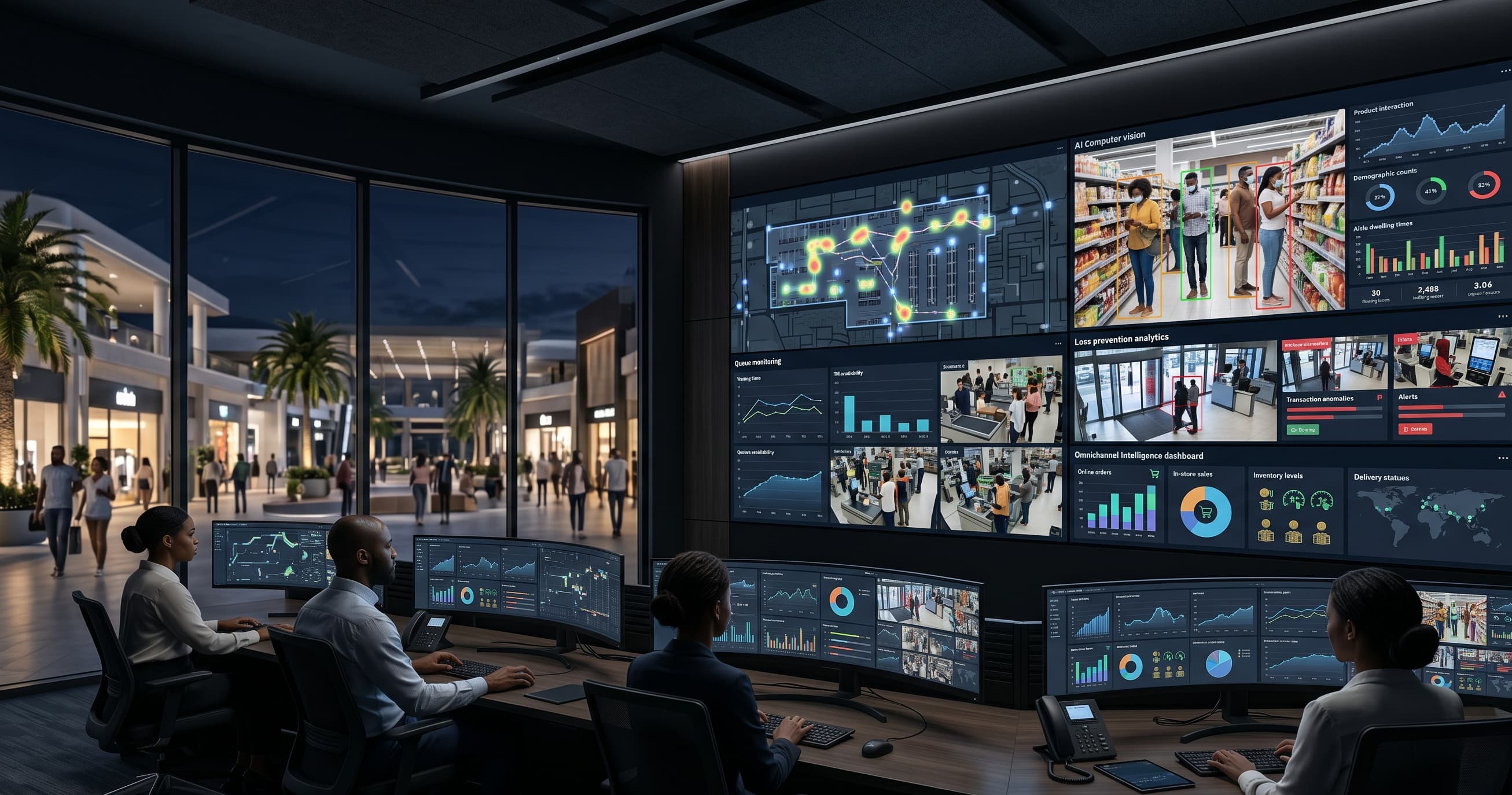
Retail computer vision uses AI to analyze images and video from stores, shelves, aisles, checkout areas, loading zones, and warehouses. It can identify products, count people, detect queue length, monitor shelf gaps, and flag unusual activity.
For retailers, this is valuable because many store problems are visual. If a shelf is empty, a queue is too long, or a product is missing, computer vision can detect the issue faster than a manual process.
Why Africa is ready
Africa’s retail sector is becoming more intelligent and more operationally ambitious. Reports and industry examples show that AI is now being used to optimize merchandising, inventory, customer experience, and store operations across the continent.
That matters because African retail often faces a mix of challenges:
Shrinkage.
Stockouts.
Busy stores and queues.
Inventory inaccuracy.
Limited manual oversight.
Pressure to improve customer experience.
Computer vision helps retailers respond to these issues with automated visibility rather than constant manual checks.
Top retail use cases
1. Shrinkage and loss prevention
Retailers can use computer vision to monitor suspicious behavior, unusual movement, and checkout-related loss risks. This is one of the strongest ROI areas because shrinkage directly affects margin.
2. Shelf monitoring
Computer vision can detect shelf gaps, product placement issues, and stock availability problems. That helps retailers improve planogram compliance and reduce missed sales from empty shelves.
3. Queue analytics
Queue monitoring helps stores understand peak times, improve staffing, and reduce customer frustration. It is especially useful in supermarkets, malls, and busy urban retail stores.
4. Footfall and dwell time
Retailers can analyze how many people enter the store, where they spend time, and which areas receive the most attention. That supports merchandising and layout decisions.
5. Inventory visibility
Computer vision can improve the link between the shelf, the store floor, and the stock room. When combined with POS and retail systems, it gives management a more accurate operational picture.
6. Checkout monitoring
Retailers can monitor checkout flow, transaction bottlenecks, and line length. This supports staffing and improves the customer experience.
Comparison table
Factor | Manual retail ops | Retail computer vision |
|---|---|---|
Shelf checks | Manual and slow | Automated and continuous |
Queue monitoring | Staff-dependent | Real-time analytics |
Shrinkage detection | Limited | Better visibility and alerts |
Inventory visibility | Reactive | More proactive |
Customer insights | Hard to measure | Easier to analyze |
Store scalability | Labor-heavy | Easier across multiple branches |
For retailers with multiple branches, the value compounds quickly. Once the system works in one store, it can often be adapted to others with less effort than building each process manually.
How retailers choose the right solution
The best solution is not always the most advanced one. It is the one that solves the biggest store problem first and fits current operations.
Use this checklist:
Define the biggest retail problem.
Decide whether the goal is loss prevention, shelf visibility, or queue management.
Check camera coverage and image quality.
Decide what action should happen when the system detects an issue.
Set business metrics.
Run one pilot store first.
Review staff workflow and reporting.
Scale only after the pilot proves value.
Implementation framework
Stage 1: Discovery
Identify the retail pain point and map the physical store layout.
Stage 2: Pilot
Start with one store, one camera zone, or one high-value use case.
Stage 3: Validation
Review accuracy, false alerts, staff response, and business value.
Stage 4: Scale
Roll out to more stores, more shelves, or more workflows after the pilot succeeds.
Best practices
Start with one measurable business problem.
Keep store staff in the workflow.
Use high-quality video inputs.
Integrate with existing retail systems where possible.
Track measurable outcomes such as shrinkage, queue time, and shelf availability.
Iterate based on real store conditions.
Keep the system aligned with business strategy.
Common mistakes
Buying AI without defining the retail problem.
Expecting immediate perfection.
Ignoring store layout and camera placement.
Focusing on flashy demos rather than store ROI.
Failing to train staff on how to use the system.
Not planning maintenance and iteration.
Why Phobolytics Technologies
Phobolytics Technologies is relevant because it already works in AI, computer vision, automation, and enterprise delivery. That combination matters in retail, where the solution often needs to connect store analytics, process automation, and operational support.
The company’s process-driven approach and project portfolio make it a sensible fit for retailers that want practical deployment rather than just a proof of concept. That is especially important in African retail, where solutions must work across real stores, not just in presentations.
Featured Summary
Retail computer vision Africa helps stores reduce shrinkage, monitor shelves, understand queues, improve inventory visibility, and automate store operations. It is most useful when a retailer wants to turn cameras and store data into actionable business intelligence.
Real-world examples
A supermarket can use shelf monitoring to detect empty spaces before customers leave without buying. A mall can use queue analytics to shorten checkout delays. A retail chain can use loss prevention analytics to reduce shrinkage across branches. A warehouse attached to a retail operation can use computer vision to improve stock movement visibility.
These are not futuristic use cases. They are practical store operations problems that AI can improve right now.assets.
Decision framework
Ask three questions:
Is the problem visual?
Does the problem repeat every day?
Will faster visibility improve margin, service, or control?
If yes, retail computer vision is probably worth piloting. Connect with us for free demo and consulting.
Suggested Articles
Computer vision company in Lagos for security and business automation.
Computer vision services in Nairobi for manufacturing, mining, and industrial automation.
Dedicated AI engineers vs in-house hiring for African agencies.
External references
FAQs
1. What is retail computer vision?
It is AI that analyzes store video and images to improve retail operations.
2. How can it help African retailers?
It can reduce shrinkage, improve shelf visibility, and optimize queues.
3. Is it useful for supermarkets?
Yes, supermarkets are one of the strongest use cases.
4. Can it monitor shelves?
Yes, shelf monitoring is one of its core applications.
5. Can it reduce retail theft?
It can improve visibility and alerting, which helps reduce loss.
6. Is it expensive?
Cost depends on scope, stores, and integration requirements.
7. Can small stores use it?
Yes, if the use case is narrow and valuable.
8. Does it work with existing cameras?
Often yes, depending on the camera quality and system setup.
9. What are the best retail use cases?
Shrinkage detection, shelf monitoring, queue analytics, and footfall analysis.
10. How long does implementation take?
It depends on complexity, but a pilot can usually start with one store.
11. Can it improve inventory visibility?
Yes, especially when paired with other store systems.
12. What is queue analytics?
It is the measurement of line length and customer flow to improve staffing and service.
13. Why should retailers work with Phobolytics?
Because it combines AI, computer vision, and delivery structure suitable for business use.
14. What is the biggest mistake to avoid?
Buying AI before defining the retail problem.
15. Can retail computer vision scale across branches?
Yes, once the first pilot proves value.
Conclusion
Retail computer vision Africa is one of the clearest examples of AI solving a real business problem. It helps retailers improve store visibility, reduce shrinkage, manage queues, and make better decisions across branches. The best results come from focused pilots, practical deployment, and a clear link between the technology and business outcomes.
Phobolytics Technologies is well placed to support this shift because its AI and computer vision capabilities fit the operational needs of African retailers. If you want to improve store performance rather than just experiment with AI, this is a strong place to start.