
Computer Vision Company: What It Does and How to Choose One in 2026
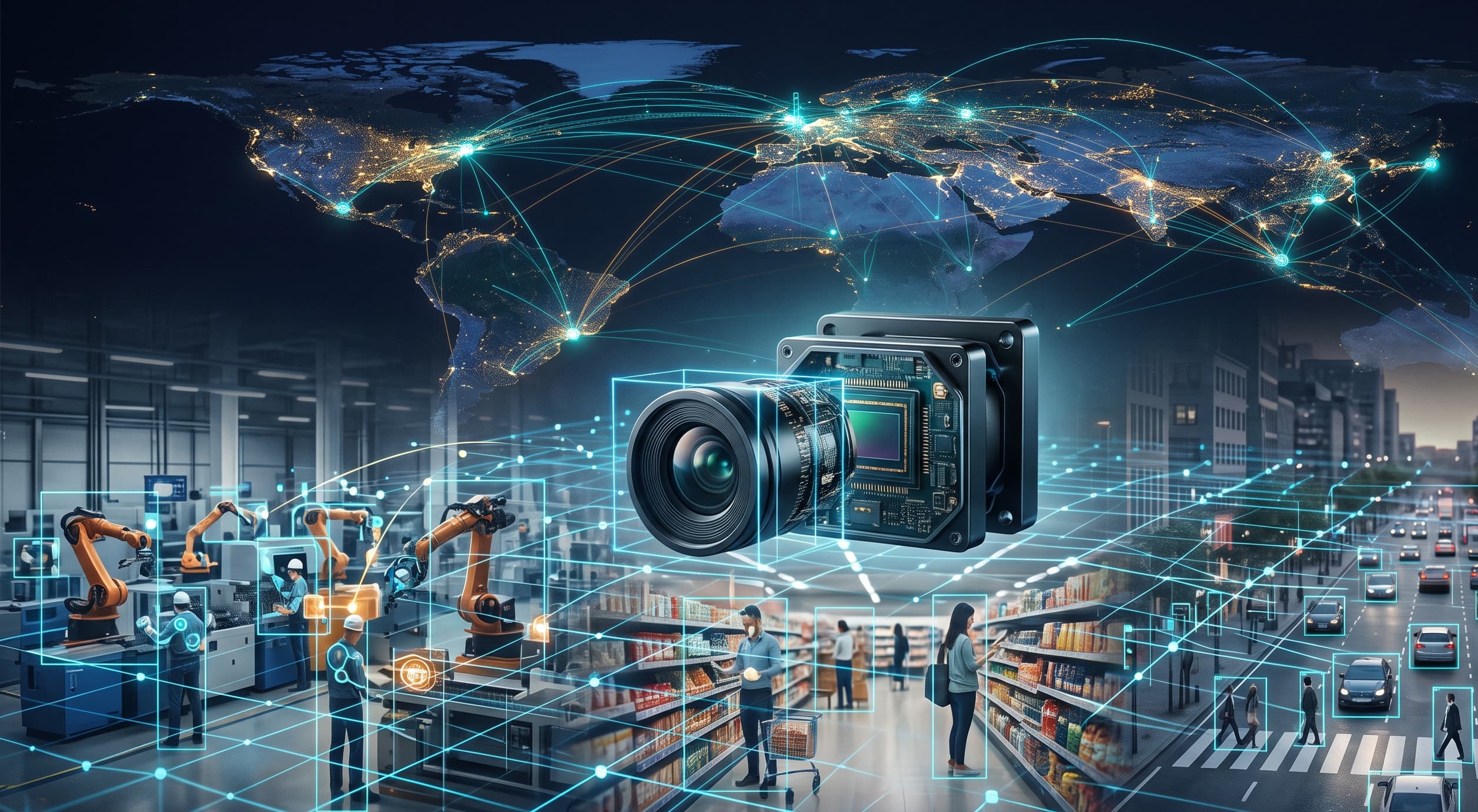
A computer vision company builds AI systems that interpret images and video the way a human eye would — detecting objects, recognizing faces, spotting defects, and flagging anomalies in real time. Businesses across manufacturing, retail, banking, logistics, and security increasingly rely on these systems to turn ordinary camera footage into automated, actionable intelligence.
If you're evaluating a computer vision company for your business, this guide covers exactly what these companies do, which industries benefit most, what it costs in 2026, and how to choose a partner who can deliver a working system — not just an impressive demo. Phobolytics is one such company, building and deploying computer vision systems for businesses across Africa and beyond.
What Is a Computer Vision Company?
A computer vision company designs, trains, and deploys AI models that analyze visual data from cameras, drones, or sensors. In plain terms, it takes footage that would normally just sit in storage or require someone to watch it manually, and turns it into structured, usable information — counts, alerts, classifications, and detections — delivered in real time.
Most computer vision companies offer some combination of the following:
Object and vehicle detection — identifying and tracking items, people, or vehicles within a camera's field of view
Facial recognition and biometric verification — matching faces for access control, identity verification, or security
Quality inspection — catching defects, inconsistencies, or damage on production lines
People counting and behavioral analytics — measuring footfall, dwell time, and crowd density
Anomaly and intrusion detection — flagging unusual activity in real time, day or night
How Does a Computer Vision Company Actually Work?
A computer vision company typically follows a repeatable process for each deployment:
Discovery — understanding the business problem, existing camera infrastructure, and success metrics
Data collection and labeling — gathering footage from the actual deployment environment to train an accurate model
Model training and calibration — building or fine-tuning an AI model specific to the client's conditions (lighting, camera angles, local objects or faces)
Integration — connecting the model to existing CCTV, ERP, or security systems via APIs
Deployment and monitoring — running the system live, with ongoing retraining as conditions change
This calibration step is often what separates a working system from a failed pilot. Generic, off-the-shelf models trained on global datasets frequently underperform in specific local conditions — a challenge explored in detail in our guide to computer vision quality inspection across African manufacturing plants.
Industries That Rely on Computer Vision Companies
Manufacturing
Factories use computer vision for automated quality control, catching defects and packaging errors faster and more consistently than manual inspection — reducing waste and product returns.
Retail
Retailers use computer vision for shelf monitoring, queue analytics, and shrinkage reduction, as detailed in our overview of retail computer vision deployments across Africa.
Banking and Fintech
Banks and fintechs use computer vision for KYC automation, fraud and liveness detection, and branch or ATM security, covered in depth in our guide to computer vision for fintechs and banks.
Logistics and Ports
Ports, warehouses, and freight operators use computer vision to automate container counting, truck tracking, and perimeter security, a trend explored in our piece on why logistics companies are losing millions without computer vision.
Security and Public Safety
Security firms and public agencies use computer vision for perimeter monitoring, facial recognition, and rapid incident response, as covered in our guide to computer vision for security companies and our review of top facial recognition companies operating across Africa.
Agriculture
Farms and agro-processors use computer vision for crop grading, pest detection, and livestock monitoring, detailed in our guide to computer vision agriculture use cases on African farms.
Core Computer Vision Solutions by Use Case
Beyond industry-specific applications, most computer vision companies build around a set of recurring solution categories that apply across sectors. These are worth understanding on their own, since the same underlying technology often gets packaged differently depending on the problem being solved.
Fleet Management and Driver Monitoring
Fleet operators use in-cab and vehicle-mounted cameras to monitor driver behavior in real time — detecting drowsiness, distraction, harsh braking, and unsafe following distances before they cause an accident. Computer vision also automates fuel and route compliance checks, flags unauthorized vehicle use, and verifies driver identity at the start of a shift. For logistics-heavy markets, this pairs directly with the broader gains covered in our piece on computer vision for logistics companies in Africa, since fleet monitoring is often the first solution rolled out alongside warehouse and port automation.
Safety and Security Monitoring
Safety-focused computer vision covers both people and physical assets — detecting missing personal protective equipment (PPE) on a factory or construction floor, identifying unsafe behavior near heavy machinery, and monitoring restricted zones for unauthorized entry. On the security side, the same camera infrastructure can run perimeter intrusion detection, weapon or loitering detection, and after-hours anomaly alerts, extending the deployments already detailed in our guide to computer vision for security companies across Africa.
Crowd Management
Public venues, transit hubs, and event organizers use computer vision to track crowd density, movement patterns, and bottlenecks in real time — helping prevent overcrowding, manage evacuation routes, and allocate staff where they're needed most. This is a growing use case in smart-city and public-safety deployments, an area explored further in our guide to AI computer vision for smart-city surveillance and public safety.
Warehouse and Inventory Management
Beyond port and logistics monitoring, computer vision is used inside warehouses to track stock levels on shelves, verify picking and packing accuracy, and detect misplaced or damaged inventory. Combined with barcode and object detection, this reduces manual stock counts and catches fulfillment errors before they reach the customer.
Document Processing and Data Extraction
Computer vision paired with optical character recognition (OCR) automates the extraction of data from invoices, ID documents, forms, and receipts — a capability increasingly used alongside KYC and identity verification workflows, as covered in our guide to computer vision for fintechs and banks.
License Plate Recognition and Parking Management
Automatic number plate recognition (ANPR) is used for gate access control, parking enforcement, toll collection, and stolen or flagged vehicle detection — often deployed on the same camera infrastructure used for general security monitoring.
Insurance and Damage Assessment
Insurers are increasingly using computer vision to assess vehicle or property damage from photos and video, speeding up claims processing and reducing fraudulent claims by flagging inconsistencies that manual reviewers might miss.
Healthcare and Medical Imaging
In healthcare, computer vision assists with analyzing medical scans, monitoring patient movement to detect falls, and automating parts of diagnostic workflows — though these applications typically require additional regulatory clearance beyond standard commercial deployments.
Environmental and Wildlife Monitoring
Conservation organizations and agricultural operations use camera-trap and drone-based computer vision to track wildlife populations, detect poaching activity, and monitor deforestation or land-use changes over time.
Sports and Media Analytics
Broadcasters and sports organizations use computer vision for automated player tracking, performance analytics, and highlight generation, extracting structured data from raw match footage without manual tagging.
Other Emerging Use Cases
Computer vision companies are also increasingly deployed for predictive maintenance (spotting equipment wear before failure), infrastructure inspection (identifying cracks, corrosion, or structural damage from drone or fixed-camera footage), and traffic management (vehicle counting, congestion detection, and automated violation flagging) — all built on the same core detection and classification technology described above.
Computer Vision Companies by Region
Computer vision adoption looks different depending on local infrastructure, regulation, and industry mix. We've published detailed, city-specific guides covering:
If your business operates in one of these markets, those guides go deeper into local cost, regulation, and vendor considerations.
How to Choose the Right Computer Vision Company
Not every AI vendor can deliver a working, scalable system. When evaluating a computer vision company, look for:
Proven deployments in your industry — request case studies relevant to your specific use case, not generic references.
Local calibration capability — the vendor should train or fine-tune models on your actual site conditions, not rely purely on generic global datasets.
Hardware flexibility — the system should integrate with your existing cameras rather than forcing a costly hardware overhaul.
Data privacy compliance — confirm the vendor follows relevant data protection regulations in your market, especially for facial recognition use cases.
Ongoing support and retraining — models need periodic updates as environments, camera setups, and objects of interest change.
Transparent pricing — get a clear breakdown of setup, licensing, and maintenance costs upfront.
If you're deciding between hiring in-house or working with an external provider, our comparison of dedicated AI engineers versus in-house hiring is a useful next read, along with our broader breakdown of developer hiring costs across Africa.
How Much Does a Computer Vision Company Charge?
Pricing depends heavily on scope — number of camera feeds, model complexity, and whether it's a one-time deployment or an ongoing managed service. In general, businesses should budget for:
Pilot projects (single site, limited cameras): lower upfront cost, ideal for proving ROI before scaling
Mid-size deployments (multiple sites, custom model training): moderate investment, typically recovered within months through reduced losses and labor costs
Enterprise-wide systems (multi-site, high camera count, or regulatory-grade deployments): higher investment, but the largest long-term efficiency and security gains
For a detailed, city-by-city cost comparison, see our full computer vision cost breakdown for Africa in 2026.
Not sure where your project would fall on this range? Get a free demo and cost estimate from Phobolytics →
Why Computer Vision Adoption Is Accelerating in 2026
Global research from Grand View Research on the computer vision market identifies manufacturing, retail, security, and financial services as the fastest-growing adopter sectors worldwide, driven by falling camera and compute costs alongside rapid improvements in model accuracy. This same trend is playing out across emerging markets, where a growing base of connected CCTV infrastructure combined with rising labor costs makes automated visual analysis increasingly cost-effective compared to manual monitoring.
As more industries digitize physical operations, the demand for a reliable, well-calibrated computer vision company will only keep growing — and businesses that adopt early typically gain a lasting efficiency and security advantage over competitors still relying on manual processes.
Final Thoughts
Choosing the right computer vision company isn't about picking the vendor with the flashiest demo. It's about finding a partner who understands your industry, calibrates models to your actual environment, and supports the system long after deployment. Whether you're running a factory floor, a retail chain, a bank branch, or a security operation, computer vision can convert your existing cameras into a 24/7 intelligence layer.
Phobolytics builds and deploys computer vision systems across manufacturing, retail, banking, logistics, agriculture, and security. If you're evaluating options, our team can walk you through what's realistic for your specific site, industry, and budget.
Request a free demo and consultation for your computer vision project →
FAQs
1. What is a computer vision company? A computer vision company builds and deploys AI systems that analyze images and video to detect objects, recognize faces, inspect quality, or flag anomalies in real time, turning raw camera footage into actionable business data.
2. What industries use computer vision companies? Manufacturing, retail, banking and fintech, logistics, agriculture, and security are the most common industries relying on computer vision companies, though adoption is expanding into healthcare, construction, and public infrastructure as well.
3. How much does a computer vision company charge? Costs vary based on the number of camera feeds, model complexity, and deployment scale. Small pilot projects cost far less than enterprise-wide rollouts. See our regional cost breakdown for detailed ranges.
4. Can a computer vision company work with my existing cameras? In most cases, yes. A capable computer vision company will integrate AI models with your current CCTV or camera infrastructure instead of requiring a full hardware replacement, which significantly lowers upfront costs.
5. How long does it take to deploy a computer vision system? A basic pilot can often go live within a few weeks, while enterprise-scale deployments involving custom model training and multiple sites may take a few months.
6. Is computer vision accurate across different environments and demographics? Accuracy depends heavily on whether the model was trained or fine-tuned on data relevant to the specific deployment environment. Generic, off-the-shelf models often underperform outside their original training conditions, which is why local calibration matters.
7. What's the difference between computer vision and traditional CCTV monitoring? Traditional CCTV only records footage for human review. Computer vision actively analyzes that footage in real time, automatically detecting events, counting objects, and sending alerts without needing someone to watch every screen.
8. Does a computer vision company handle data privacy and compliance? A reputable provider will structure its data storage, access control, and retention practices to align with relevant data protection regulations in your operating market. Always confirm this before signing a contract.
9. Can computer vision reduce theft and shrinkage in retail? Yes. AI-powered cameras can detect suspicious behavior, monitor high-risk areas, and alert staff in real time, which has proven effective in reducing shrinkage across retail environments.
10. Can computer vision improve quality control in manufacturing? Yes. Cameras on production lines can detect defects, inconsistent packaging, or contamination far faster and more consistently than manual inspection, reducing waste and returns.
11. Can computer vision monitor driver behavior for fleet management? Yes. In-cab cameras paired with computer vision can detect drowsiness, distraction, harsh braking, and unsafe driving in real time, helping fleet operators reduce accidents and improve compliance across their vehicle network.
12. How does computer vision help with crowd management? Computer vision can track crowd density, movement patterns, and bottlenecks in real time at venues, transit hubs, and public events, helping organizers prevent overcrowding and respond faster during emergencies.
13. Can computer vision manage warehouse inventory? Yes. It can track stock levels on shelves, verify picking and packing accuracy, and flag misplaced or damaged inventory, reducing manual stock counts and fulfillment errors.
14. What is license plate recognition used for? Automatic number plate recognition (ANPR) is used for gate access control, parking enforcement, toll collection, and identifying stolen or flagged vehicles, typically running on existing security camera infrastructure.
15. Do I need in-house technical staff to run a computer vision system? Not necessarily. Most computer vision companies provide dashboards and automated alerts designed for non-technical staff, along with training and ongoing support after deployment.
16. Should I hire an in-house AI team or work with a computer vision company? It depends on your scale and budget. Many businesses start with an external computer vision company for faster deployment and lower upfront cost, then evaluate in-house hiring as their needs grow. Our comparison of dedicated engineers versus in-house hiring breaks this down further.
17. What questions should I ask a computer vision company before hiring them? Ask for case studies relevant to your industry and region, how they handle model calibration for your specific environment, what ongoing support looks like after deployment, and how pricing scales as you add cameras or sites.
18. How do I get started with a computer vision company? Most providers, including Phobolytics, begin with a short discovery call to understand your industry, existing camera setup, and goals, followed by a small pilot project to prove ROI before scaling to a full deployment. You can request a free demo and consultation to start the process.